
In today’s fast-paced world, where efficiency and connectivity are paramount, laptop docking stations have emerged as indispensable tools for professionals and remote workers alike. These compact yet powerful devices serve as a bridge between your laptop and a myriad of peripherals, transforming your portable computer into a versatile workstation. Let’s delve deeper into the world of laptop docking stations, exploring their benefits, types, selection criteria, setup process, popular brands, comparisons, and future trends.
Benefits of Using a Laptop Docking Station
Increased Connectivity
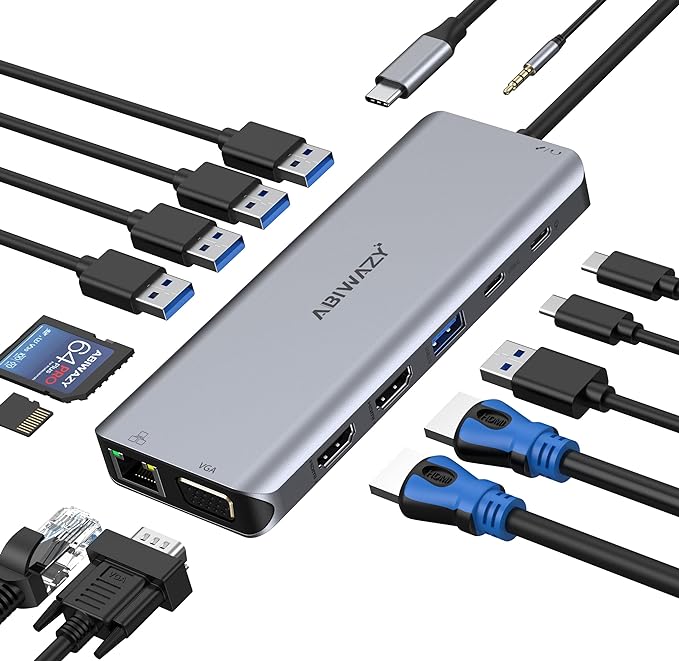
Laptop docking stations offer a plethora of ports, including USB, HDMI, DisplayPort, Ethernet, and audio jacks, expanding the connectivity options of your laptop. This enables you to seamlessly connect multiple devices such as monitors, keyboards, mice, printers, external storage drives, and networking equipment.
Enhanced Productivity
By centralizing all your peripherals and accessories through a docking station, you can streamline your workflow and eliminate the hassle of constantly plugging and unplugging cables. With a single connection to the docking station, you can instantly access all your peripherals, boosting efficiency and saving valuable time.
Ergonomic Benefits
Many laptop docking stations are designed with ergonomics in mind, allowing you to elevate your laptop to a comfortable viewing height and position external monitors at eye level. This helps reduce strain on your neck, shoulders, and back, promoting better posture and long-term health.
Types of Laptop Docking Stations
Port Replicator Docking Stations
Port replicator docking stations replicate the ports available on your laptop, providing additional connectivity options without requiring specialized hardware or drivers. They are ideal for users who require basic peripheral connectivity and are compatible with a wide range of laptops.
Thunderbolt Docking Stations
Thunderbolt docking stations leverage Thunderbolt technology to deliver blazing-fast data transfer speeds and support high-resolution displays, external GPUs, and daisy-chaining multiple devices. They are favored by professionals working with demanding applications such as video editing and 3D rendering.
USB-C Docking Stations
USB-C docking stations utilize the versatile USB-C interface to connect to laptops, offering a combination of power delivery, data transfer, and video output capabilities. They are increasingly popular among users of ultrabooks and MacBooks due to their slim form factor and universal compatibility.
Factors to Consider When Choosing a Laptop Docking Station
Compatibility with Laptop
Before purchasing a docking station, ensure that it is compatible with your laptop’s make and model. Check for compatibility lists provided by the manufacturer and verify that the docking station supports the necessary ports and features.
Number and Type of Ports
Consider the types and quantity of ports offered by the docking station, taking into account your specific connectivity needs. Look for a balance of USB, HDMI, DisplayPort, Ethernet, and audio ports to accommodate your peripherals and devices.
Power Delivery Capability
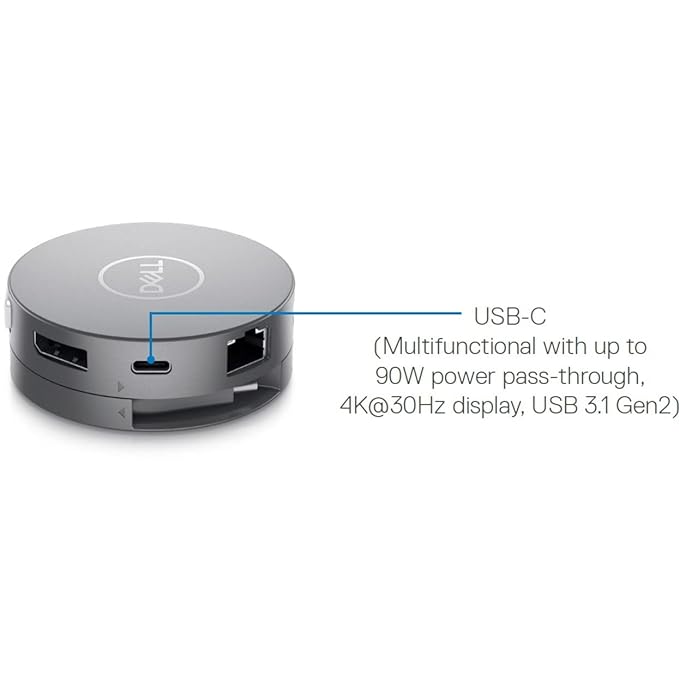
If you intend to use the docking station to charge your laptop, make sure it supports sufficient power delivery to meet the requirements of your laptop. Some docking stations offer passthrough charging, allowing you to charge your laptop while using peripherals.
Build Quality and Design
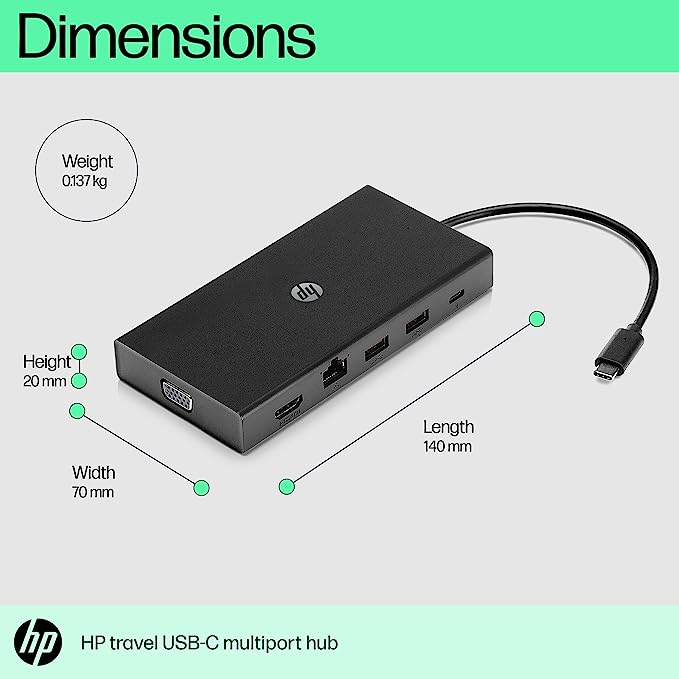
Invest in a docking station with a sturdy build quality and a design that complements your workspace. Look for features such as a compact footprint, non-slip base, and cable management options to enhance usability and aesthetics.
Setting Up a Laptop Docking Station
Setting up a laptop docking station is a straightforward process that can be completed in a few simple steps:
- Connecting Cables and Peripherals: Connect the docking station to your laptop using the provided cable, then connect your peripherals and accessories to the docking station’s ports.
- Installing Drivers and Software: If required, install any drivers or software provided by the docking station manufacturer to ensure compatibility and optimal performance.
- Adjusting Display Settings: Configure your display settings to extend or duplicate your desktop across multiple monitors connected to the docking station. Adjust resolutions, refresh rates, and orientation as needed.
Popular Laptop Docking Station Brands
Several reputable brands offer high-quality laptop docking stations, catering to diverse user preferences and requirements. Some of the top brands in this category include:
- Dell
- Lenovo
- HP
Comparison of Top Laptop Docking Stations
When comparing different laptop docking stations, consider factors such as features, price, and user reviews to make an informed decision. Look for docking stations that offer the right balance of connectivity, performance, and value for your specific needs.
Tips for Maximizing the Use of a Laptop Docking Station
To make the most of your laptop docking station, consider the following tips:
- Keep Drivers Updated: Regularly update the drivers and firmware of your docking station to ensure compatibility and stability.
- Organize Cables: Use cable management solutions to keep your workspace tidy and prevent cable clutter.
- Customize Settings for Efficiency: Take advantage of software utilities provided by the docking station manufacturer to customize settings and maximize productivity.
Future Trends in Laptop Docking Stations
The evolution of laptop docking stations is poised to continue, with several exciting trends on the horizon:
- Wireless Connectivity: Future docking stations may leverage wireless technologies such as Wi-Fi 6 and Bluetooth to eliminate the need for physical connections, offering greater flexibility and convenience.
- Enhanced Security Features: With cybersecurity becoming increasingly important, future docking stations may incorporate advanced security features such as biometric authentication and encryption to protect sensitive data.
- Integration with Virtual Reality and Augmented Reality: As immersive technologies gain traction in various industries, docking stations may integrate support for virtual reality (VR) and augmented reality (AR) devices, enabling seamless integration into professional workflows.
Conclusion
In conclusion, laptop docking stations play a pivotal role in simplifying connectivity and boosting productivity for modern professionals and remote workers. By providing expanded connectivity options, ergonomic benefits, and streamlined workflow management, these versatile devices empower users to create efficient and ergonomic workstations tailored to their specific needs.
FAQs
- What is a laptop docking station? A laptop docking station is a device that connects to a laptop to provide additional ports and connectivity options, allowing users to easily connect peripherals and accessories.
- How does a docking station improve productivity? By centralizing all peripherals and accessories through a docking station, users can streamline their workflow and save time by eliminating the need to constantly plug and unplug cables.
- Can I use a docking station with any laptop? Docking stations are designed to be compatible with specific laptop models or brands, so it’s important to ensure compatibility before making a purchase.
- Do docking stations support multiple monitors? Yes, many docking stations support multiple monitors, allowing users to connect and use multiple displays simultaneously for enhanced productivity.
- Are docking stations compatible with MacBooks? Yes, there are docking stations specifically designed for use with MacBooks, typically utilizing the USB-C interface for connectivity.